





Online Safety Challenge: A Week of Cyber Tasks for Families
ເຜີຍແຜ່ເມື່ອ: 24 ພ.ຈ. 2025 · ຫ້ອງຂ່າວ · 2 ນາທີອ່ານ

ສາລະບານ
Cybersecurity is no longer just an IT office concern—cybercriminals are increasingly targeting families, knowing that one weak link can expose sensitive personal data, photos, and financial information. To help your family fortify its defenses, we challenge you to commit to a seven-day series of short, practical cyber tasks.
Think of this as your family's essential cybersecurity reset, building lasting improvements that protect your home year-round.
The 7-Day Family Cyber Challenge
Day |
Goal |
Key Task |
Day 1: Password Power-Up |
Build stronger defenses by securing the digital keys to your family's online life. |
Lock down five important accounts per person (e.g., email, bank, cloud). Use a Password Generator to create unique, 16+ character passwords. Turn on multi-factor authentication (MFA) for each account. |
Day 2: Scam Sensei |
Strengthen your family's "scam radar" to recognize and stop online fraud before it strikes. |
Collect suspicious messages (email, SMS, social DMs). Review them together to identify red flags like urgency, threats, or misspelled sender domains. Discuss common scams that target different age groups. |
Day 3: Update & Auto-Update Blitz |
Patch vulnerabilities on all household devices. |
Run system and app updates on all phones, tablets, PCs, and smart devices. Enable automatic updates for operating systems and browsers. Delete any apps you no longer use. |
Day 4: Home Wi-Fi Defense |
Strengthen your home's digital perimeter and keep intruders off your network. |
Change your Wi-Fi router's default login password to a strong, unique one. Enable WPA3 (or WPA2) encryption. Create a separate guest network for visitors and smart home devices. |
Day 5: Privacy Cleanup |
Limit what others can see about your family online. |
Review and tighten the privacy settings on your top two social media apps. Remove unnecessary public information (like phone numbers or full birthdates). Revoke access for unused third-party apps and integrations. |
Day 6: Backup & Break-Glass Plan |
Prepare for the unexpected to recover quickly from accidents, theft, or ransomware. |
Turn on automatic cloud backup for essential files (photos, documents). Create an offline backup on an external hard drive (and keep it unplugged). Test your backups by restoring a single file. |
Day 7: Identity & Device Health Check |
Strengthen identity protection and detect potential data exposure. |
"Google" yourself and check if your personal data has been leaked using a reputable breach-checking service. Install or update antivirus protection on all family devices. Create a "Report It" family rule for any suspicious online activity. |
🛡️ Ensure Your Online Safeguard with Bitdefender Family Pack
While adopting good habits is crucial, modern cyber threats require multi-layered, continuous protection. If your family is ready for comprehensive, all-in-one security that covers every device in your household, a dedicated security suite is the solution.
The Bitdefender Family Pack provides award-winning protection against malware, ransomware, and sophisticated scams, while offering parental controls to help children explore the internet safely. It offers easy setup and management across Windows, macOS, Android, and iOS devices.
For a solution that provides security for the entire family, explore the benefits of the Bitdefender Family Pack.
ບົດຄວາມທີ່ກ່ຽວຂ້ອງ
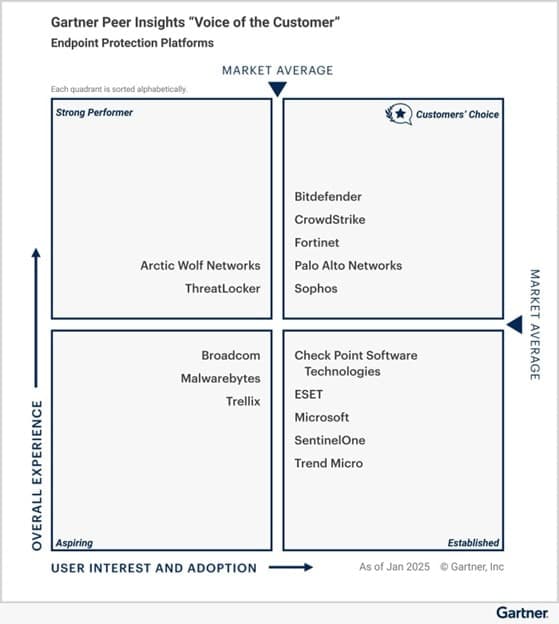
Bitdefender ได้รับรางวัล Gartner® Peer Insights™ Customers’ Choice สำหรับการปกป้องปลายทาง
ເຜີຍແຜ່ເມື່ອ: 17 ມິ.ຖ. 2025
ອ່ານບົດຄວາມ
CyberSec Vietnam Conference 2024
ເຜີຍແຜ່ເມື່ອ: 18 ຕ.ລ. 2024
ອ່ານບົດຄວາມ
ความสำคัญของการใช้ VPN: การเพิ่มความเป็นส่วนตัวและความปลอดภัย
ເຜີຍແຜ່ເມື່ອ: 20 ສ.ຫ. 2024
ອ່ານບົດຄວາມ
Bitdefender ມີປະສົບແກ້ວທີ່ SIS Technology Showcase 2024 ທີ່ຢູ່ທົ່ວປະໄຕຂອງບັນຊີທີ່ມີທາງເລືອກຮ້ອງສົບຜົນ 2024 ໃນປະຈຸບັນ
ເຜີຍແຜ່ເມື່ອ: 15 ສ.ຫ. 2024
ອ່ານບົດຄວາມ